> ## Documentation Index
> Fetch the complete documentation index at: https://wb-21fd5541-feat-cli-docs-generator.mintlify.site/llms.txt
> Use this file to discover all available pages before exploring further.
# レポートを共同で作成する
> W&B Reports を同僚やチームメンバーと共有してコラボレーションしましょう。
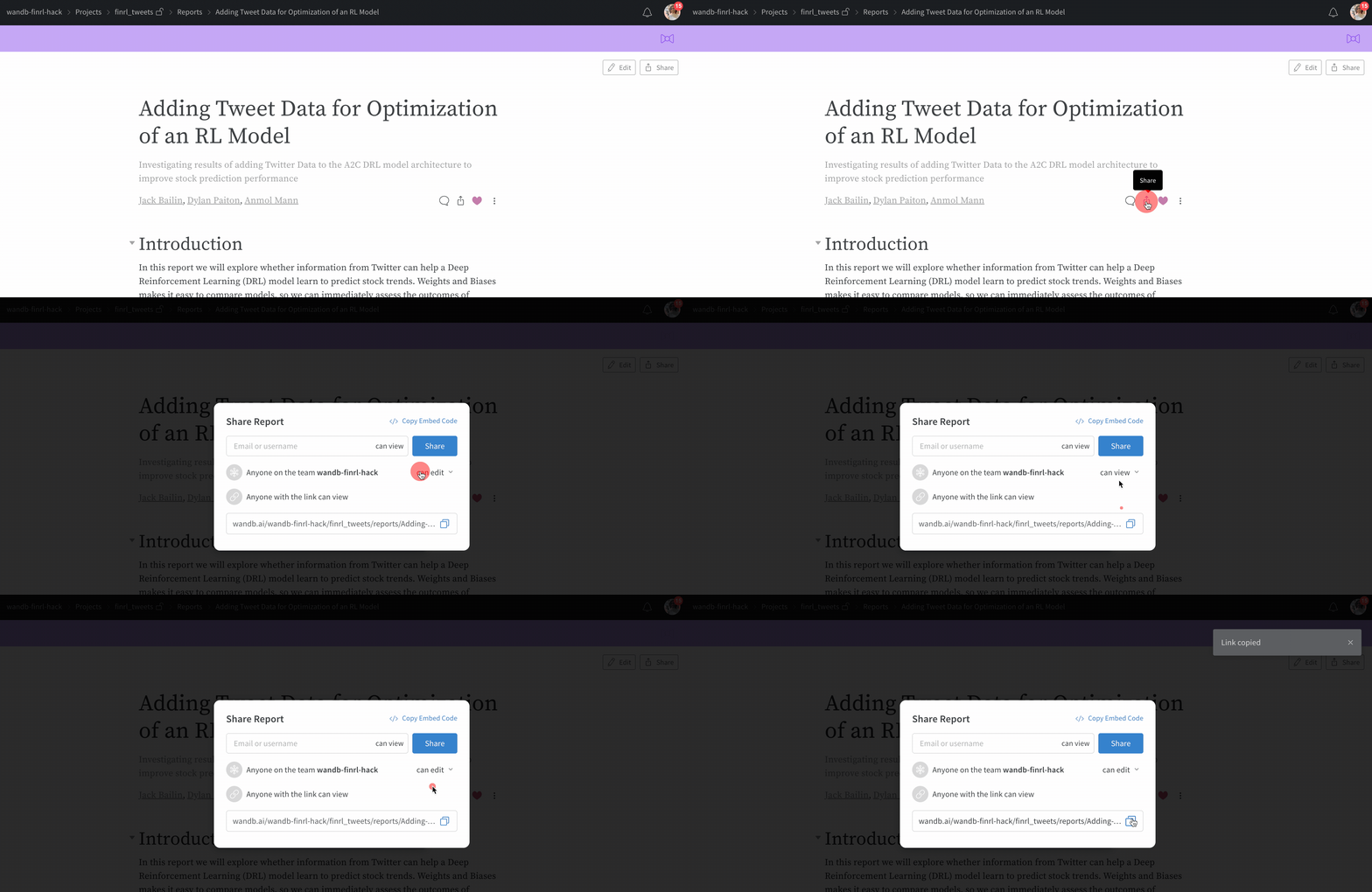
レポートを保存したら、**Share** ボタンを選択してコラボレーションできます。**Edit** ボタンを選択すると、レポートの下書きコピーが作成されます。下書きレポートは自動保存されます。変更を共有レポートに公開するには、**Save to report** を選択します。
編集の競合が発生すると警告通知が表示されます。これは、あなたと他のコラボレーターが同じレポートを同時に編集した場合に発生する可能性があります。警告通知は、編集の競合を解決するためのガイドとなります。
 ## レポートにコメントする
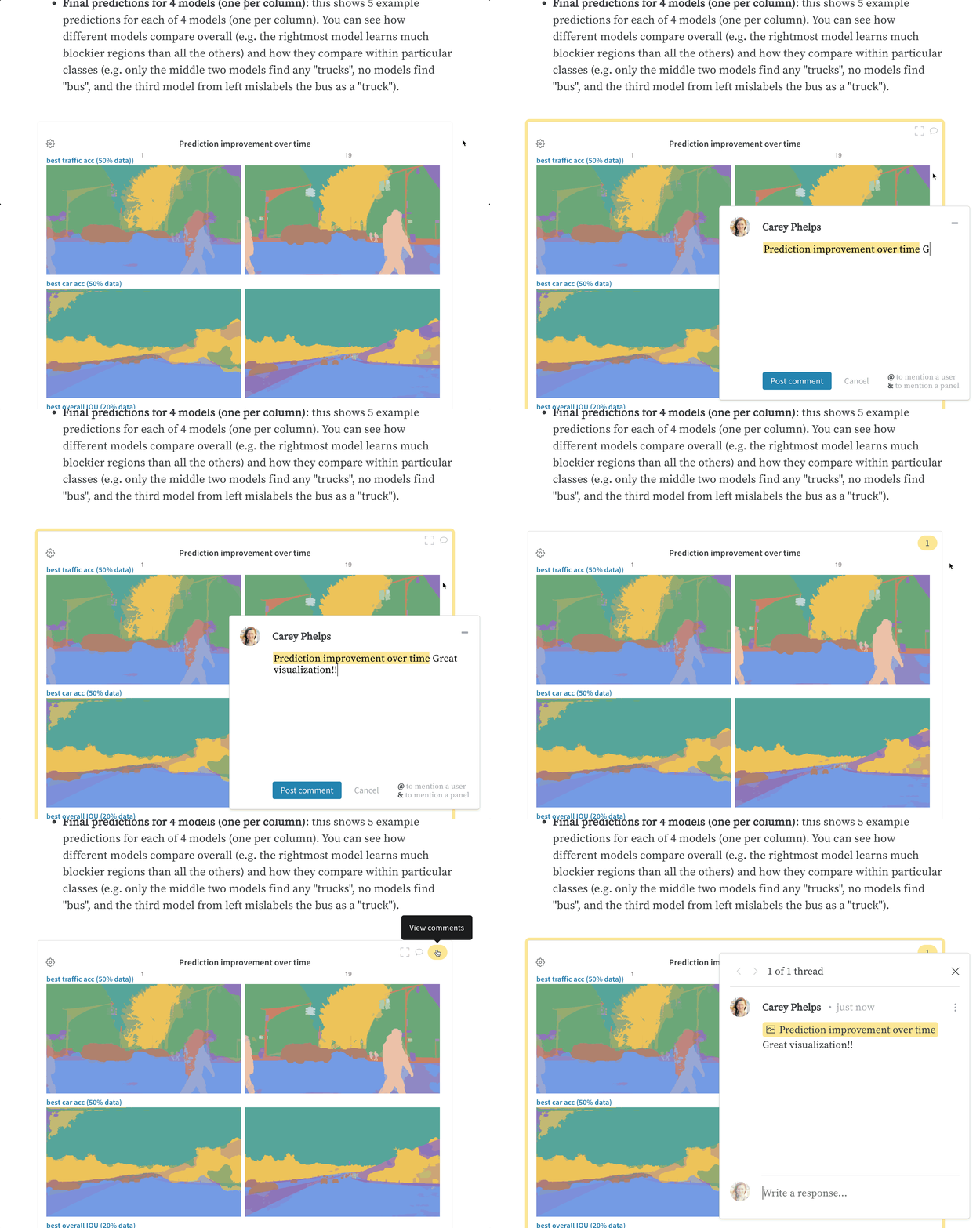
レポート内のパネルにあるコメントボタンをクリックして、そのパネルに直接コメントを追加します。
## レポートにコメントする
レポート内のパネルにあるコメントボタンをクリックして、そのパネルに直接コメントを追加します。