> ## Documentation Index
> Fetch the complete documentation index at: https://wb-21fd5541-feat-cli-docs-generator.mintlify.site/llms.txt
> Use this file to discover all available pages before exploring further.
# レポートを埋め込む
> W&B レポートを直接 Notion に埋め込むか、HTML IFrame 要素を使用します。
## HTML iframe 要素
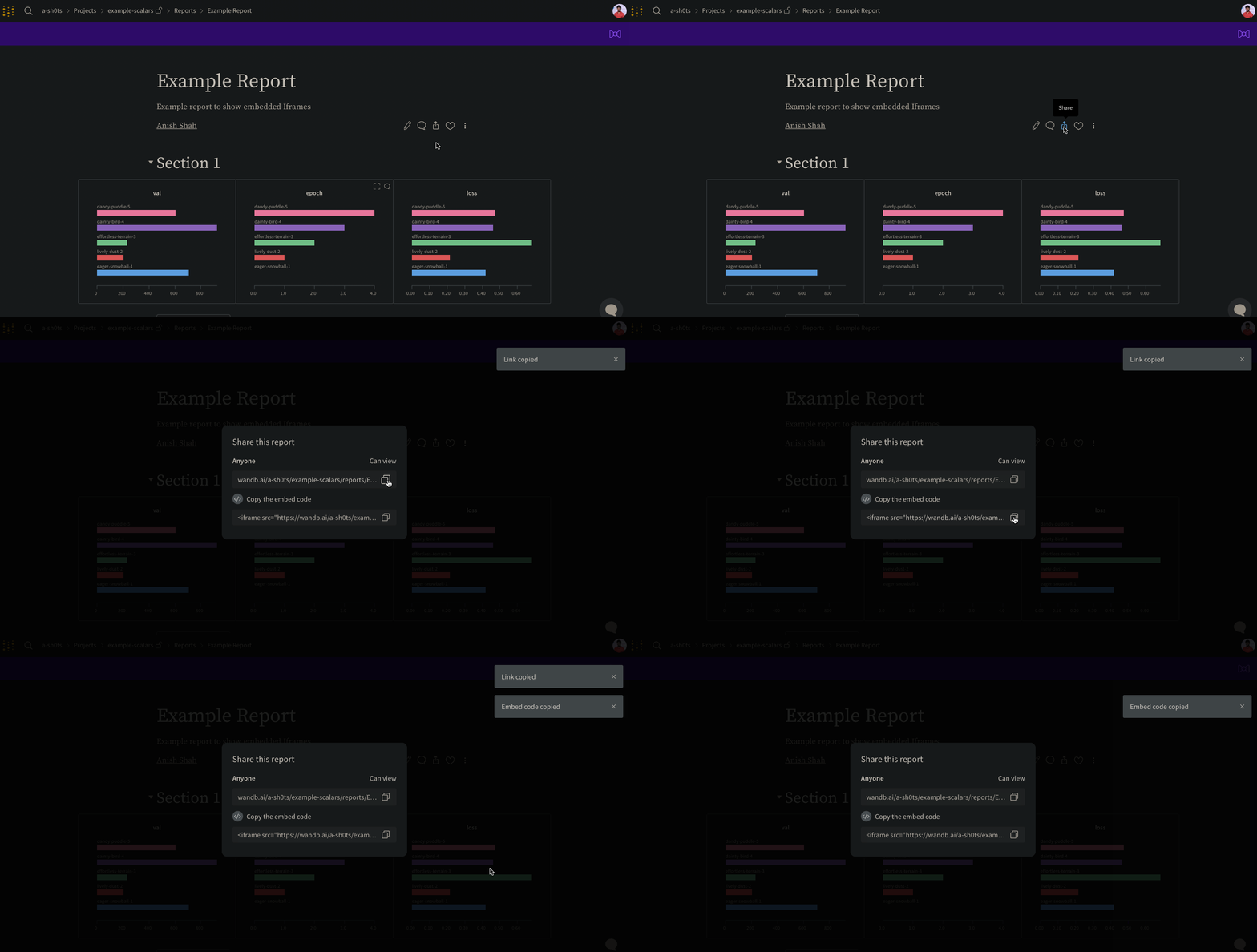
レポート内の右上にある **Share** ボタンを選択します。モーダルウィンドウが表示されます。このモーダルウィンドウ内で **Copy embed code** を選択します。コピーされたコードは、インラインフレーム (IFrame) HTML 要素内でレンダリングされます。コピーしたコードを任意の iframe HTML 要素に貼り付けます。
埋め込まれた場合、**公開** レポートのみが表示可能です。
 ## Confluence
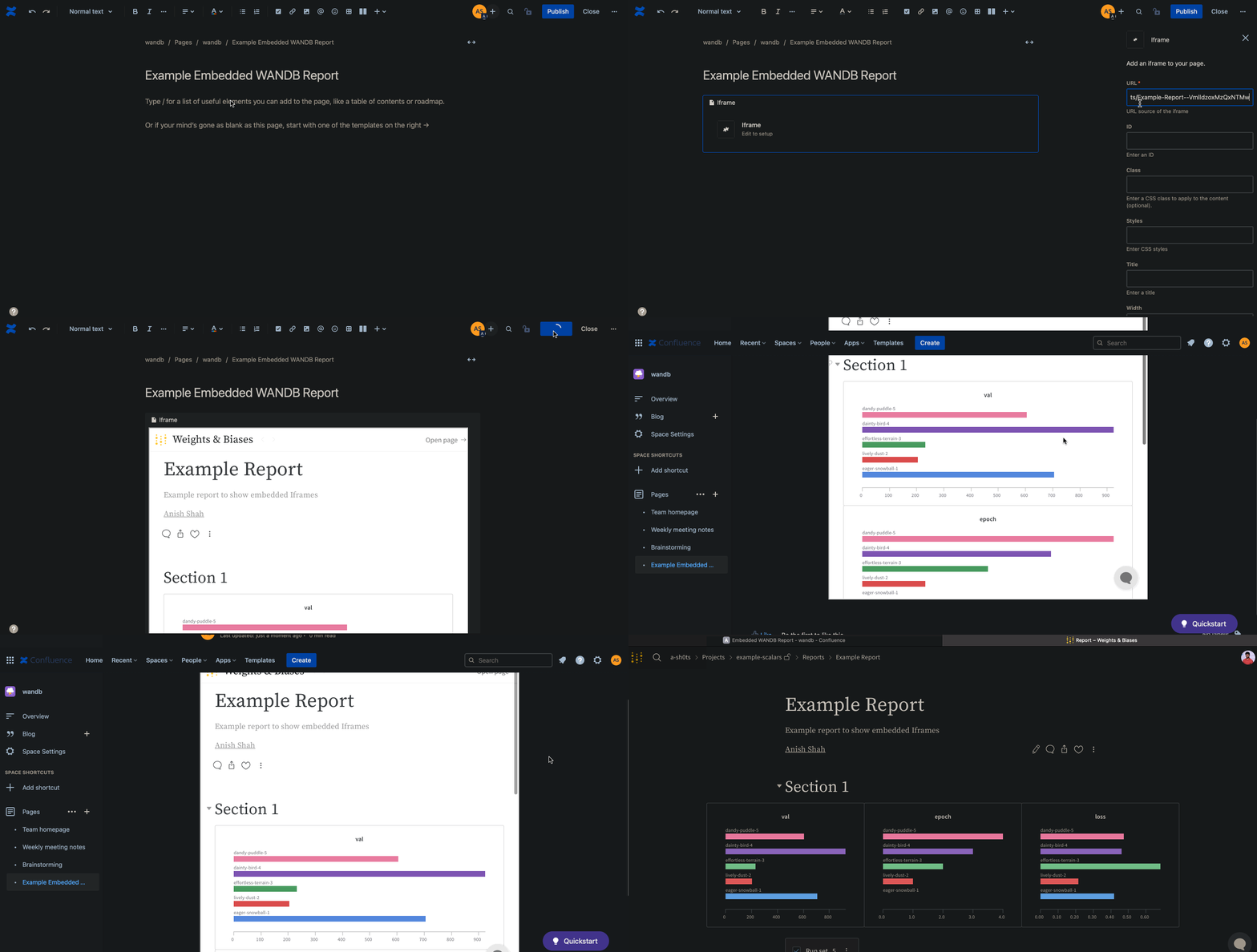
次のアニメーションは、Confluence の IFrame セル内でレポートへの直接リンクを挿入する方法を示しています。
## Confluence
次のアニメーションは、Confluence の IFrame セル内でレポートへの直接リンクを挿入する方法を示しています。
 ## Notion
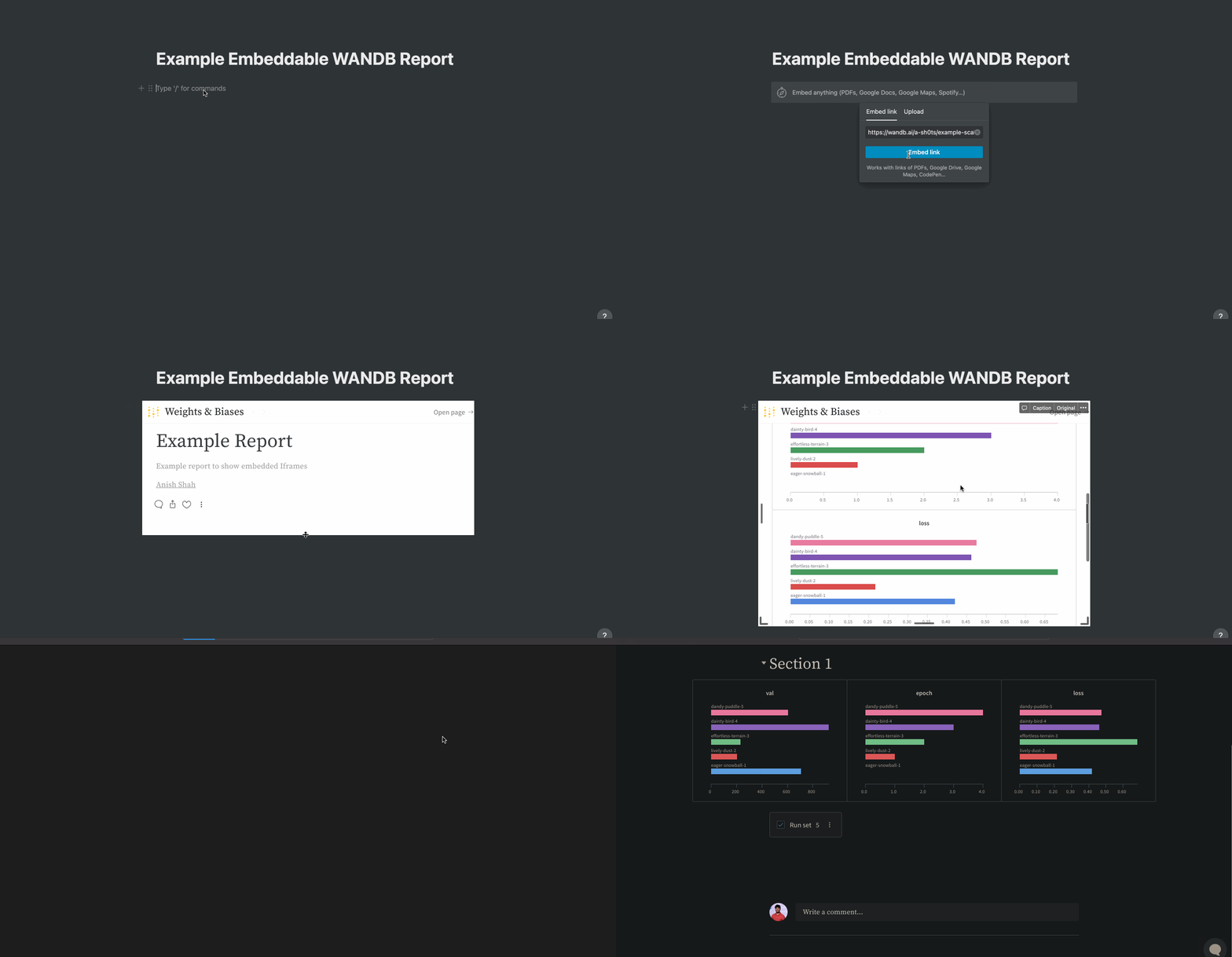
次のアニメーションは、Notion ドキュメント内で Embed ブロックを使ってレポートを挿入し、そのレポートの埋め込みコードを使用する方法を示しています。
## Notion
次のアニメーションは、Notion ドキュメント内で Embed ブロックを使ってレポートを挿入し、そのレポートの埋め込みコードを使用する方法を示しています。
 ## Gradio
`gr.HTML` 要素を使用して、Gradio Apps 内で W\&B Reports を埋め込み、Hugging Face Spaces で利用することができます。
```python theme={null}
import gradio as gr
def wandb_report(url):
iframe = f'
## Gradio
`gr.HTML` 要素を使用して、Gradio Apps 内で W\&B Reports を埋め込み、Hugging Face Spaces で利用することができます。
```python theme={null}
import gradio as gr
def wandb_report(url):
iframe = f'