> ## Documentation Index
> Fetch the complete documentation index at: https://wb-21fd5541-feat-cli-docs-generator.mintlify.site/llms.txt
> Use this file to discover all available pages before exploring further.
# Embed a report
> W&B 리포트 를 Notion에 직접 삽입하거나 HTML IFrame 요소를 사용하여 삽입하세요.
## HTML iframe 요소
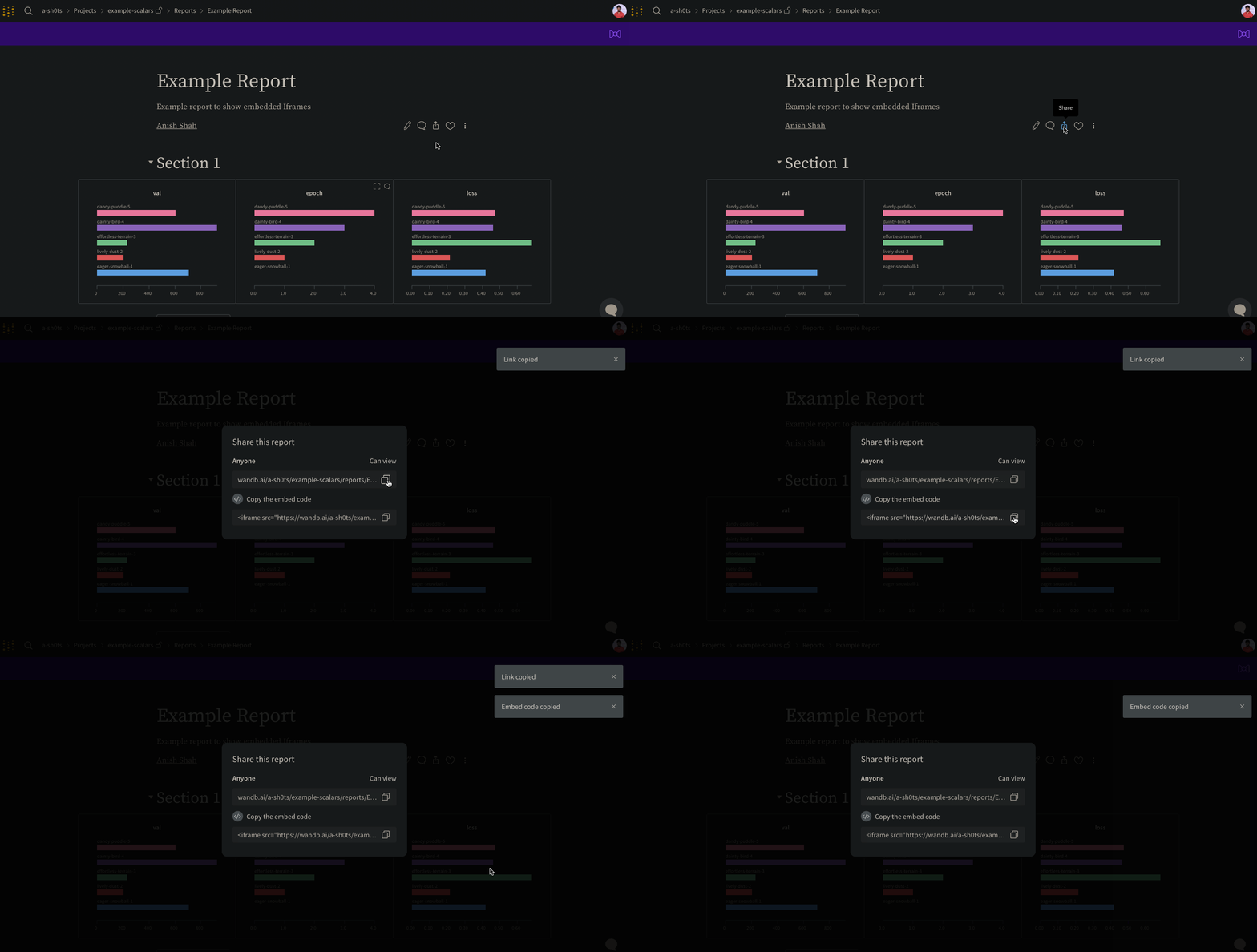
리포트의 오른쪽 상단 모서리에 있는 **Share** 버튼을 선택합니다. 모달 창이 나타납니다. 모달 창에서 **Copy embed code**를 선택합니다. 복사된 코드는 Inline Frame (IFrame) HTML 요소 내에서 렌더링됩니다. 복사된 코드를 원하는 iframe HTML 요소에 붙여넣습니다.
**공개** 리포트만 임베드되었을 때 볼 수 있습니다.
 ## Confluence
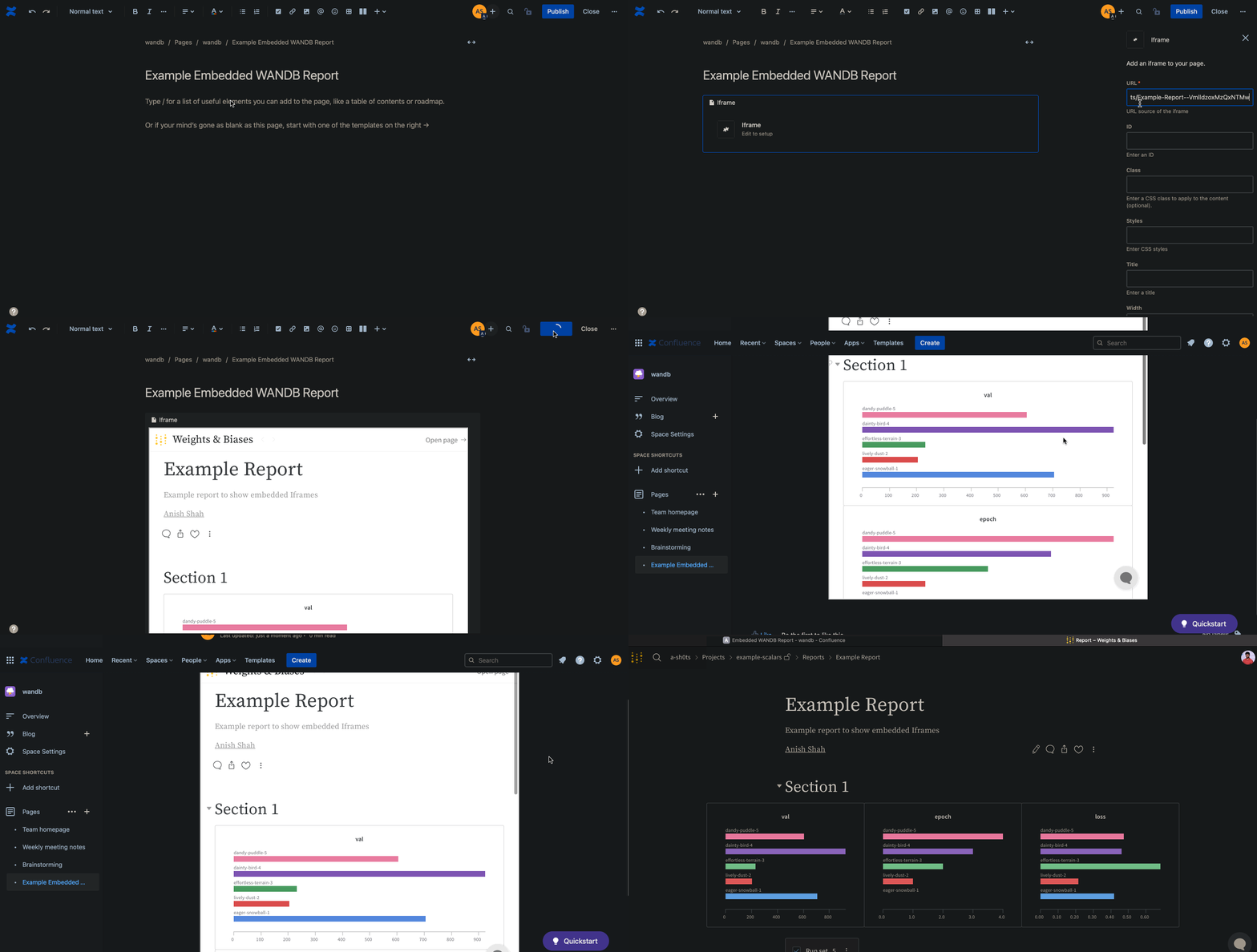
다음 애니메이션은 Confluence의 IFrame 셀 내에 리포트에 대한 직접 링크를 삽입하는 방법을 보여줍니다.
## Confluence
다음 애니메이션은 Confluence의 IFrame 셀 내에 리포트에 대한 직접 링크를 삽입하는 방법을 보여줍니다.
 ## Notion
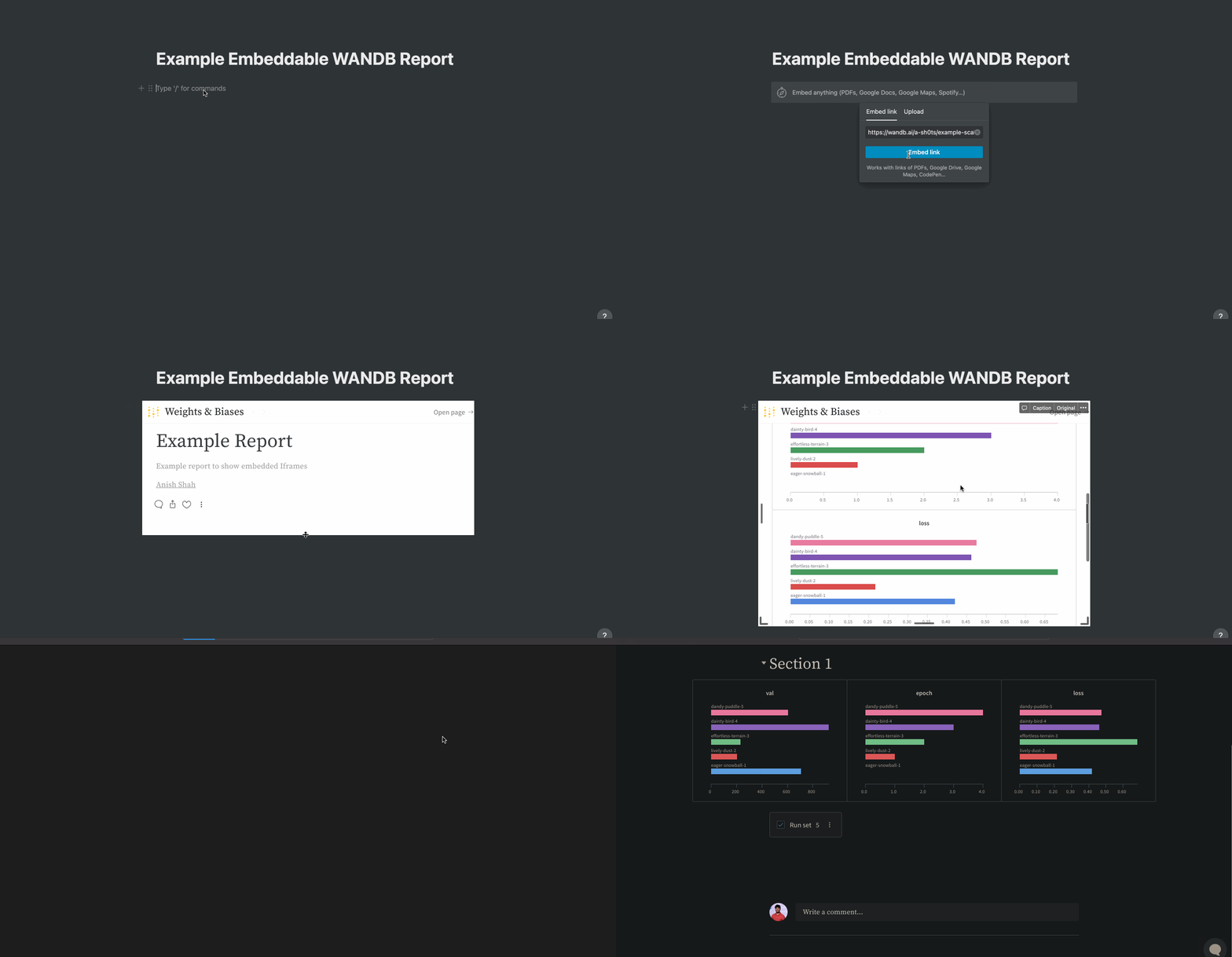
다음 애니메이션은 Notion의 Embed 블록과 리포트의 임베디드 코드를 사용하여 리포트를 Notion 문서에 삽입하는 방법을 보여줍니다.
## Notion
다음 애니메이션은 Notion의 Embed 블록과 리포트의 임베디드 코드를 사용하여 리포트를 Notion 문서에 삽입하는 방법을 보여줍니다.
 ## Gradio
`gr.HTML` 요소를 사용하여 Gradio 앱 내에 W\&B Reports를 임베드하고 Hugging Face Spaces 내에서 사용할 수 있습니다.
```python theme={null}
import gradio as gr
def wandb_report(url):
iframe = f'
## Gradio
`gr.HTML` 요소를 사용하여 Gradio 앱 내에 W\&B Reports를 임베드하고 Hugging Face Spaces 내에서 사용할 수 있습니다.
```python theme={null}
import gradio as gr
def wandb_report(url):
iframe = f'