> ## Documentation Index
> Fetch the complete documentation index at: https://wb-21fd5541-feat-cli-docs-generator.mintlify.site/llms.txt
> Use this file to discover all available pages before exploring further.
# Move runs
이 페이지에서는 run 을 한 프로젝트에서 다른 프로젝트로, 팀 내부 또는 외부로, 또는 한 팀에서 다른 팀으로 이동하는 방법을 보여줍니다. 현재 위치와 새 위치에서 run 에 대한 엑세스 권한이 있어야 합니다.
run 을 이동하면 연결된 이전 Artifacts 는 이동되지 않습니다. 아티팩트를 수동으로 이동하려면 [`wandb artifact get`](/ko/models/ref/cli/wandb-artifact/wandb-artifact-get/) SDK 코맨드 또는 [`Api.artifact` API](/ko/models/ref/python/public-api/api/#artifact)를 사용하여 아티팩트를 다운로드한 다음 [wandb artifact put](/ko/models/ref/cli/wandb-artifact/wandb-artifact-put/) 또는 `Api.artifact` API를 사용하여 run 의 새 위치에 업로드합니다.
**Runs** 탭을 사용자 정의하려면 [Project page](/ko/models/track/project-page/#runs-tab)를 참조하세요.
## 프로젝트 간에 run 이동
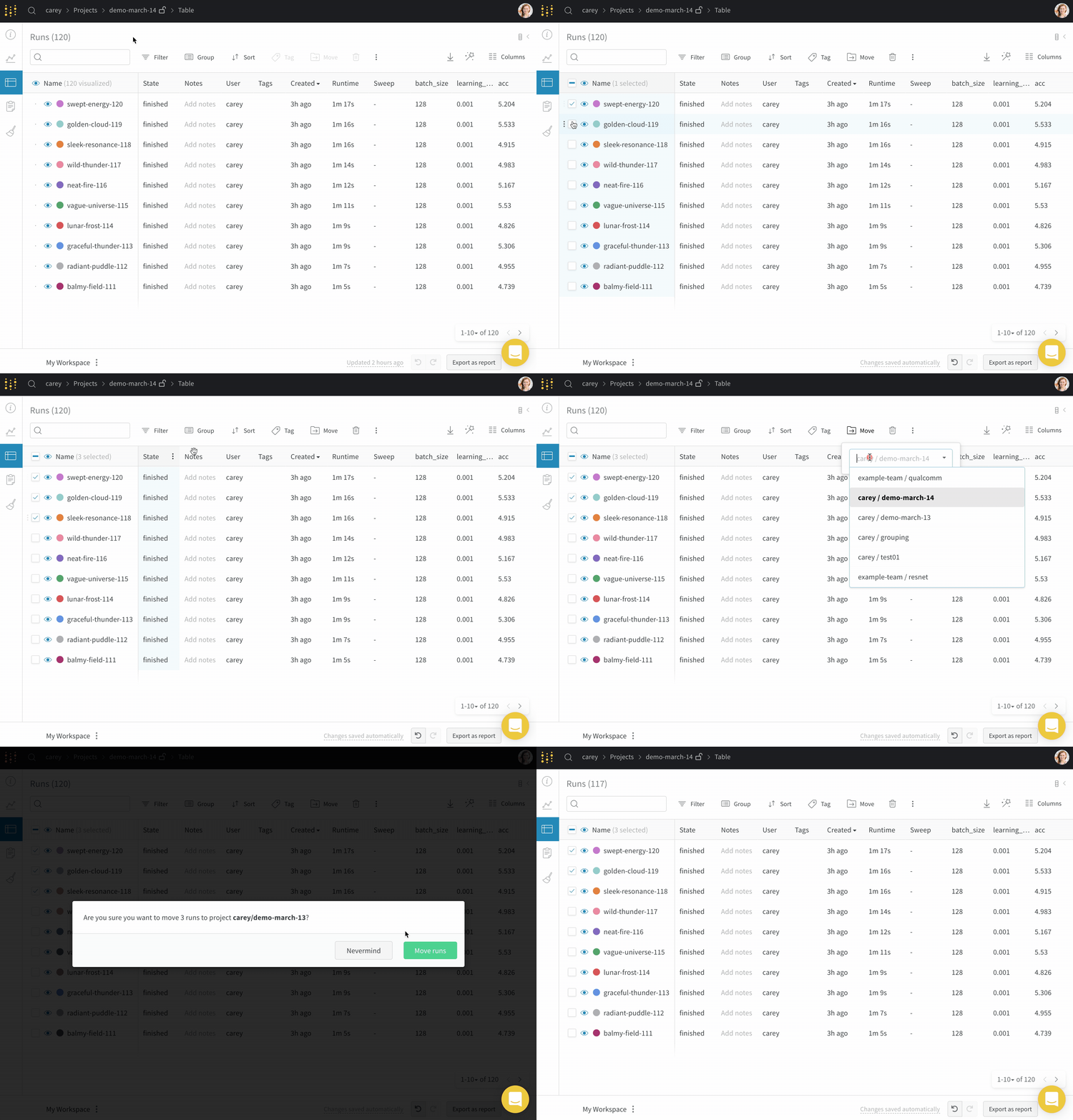
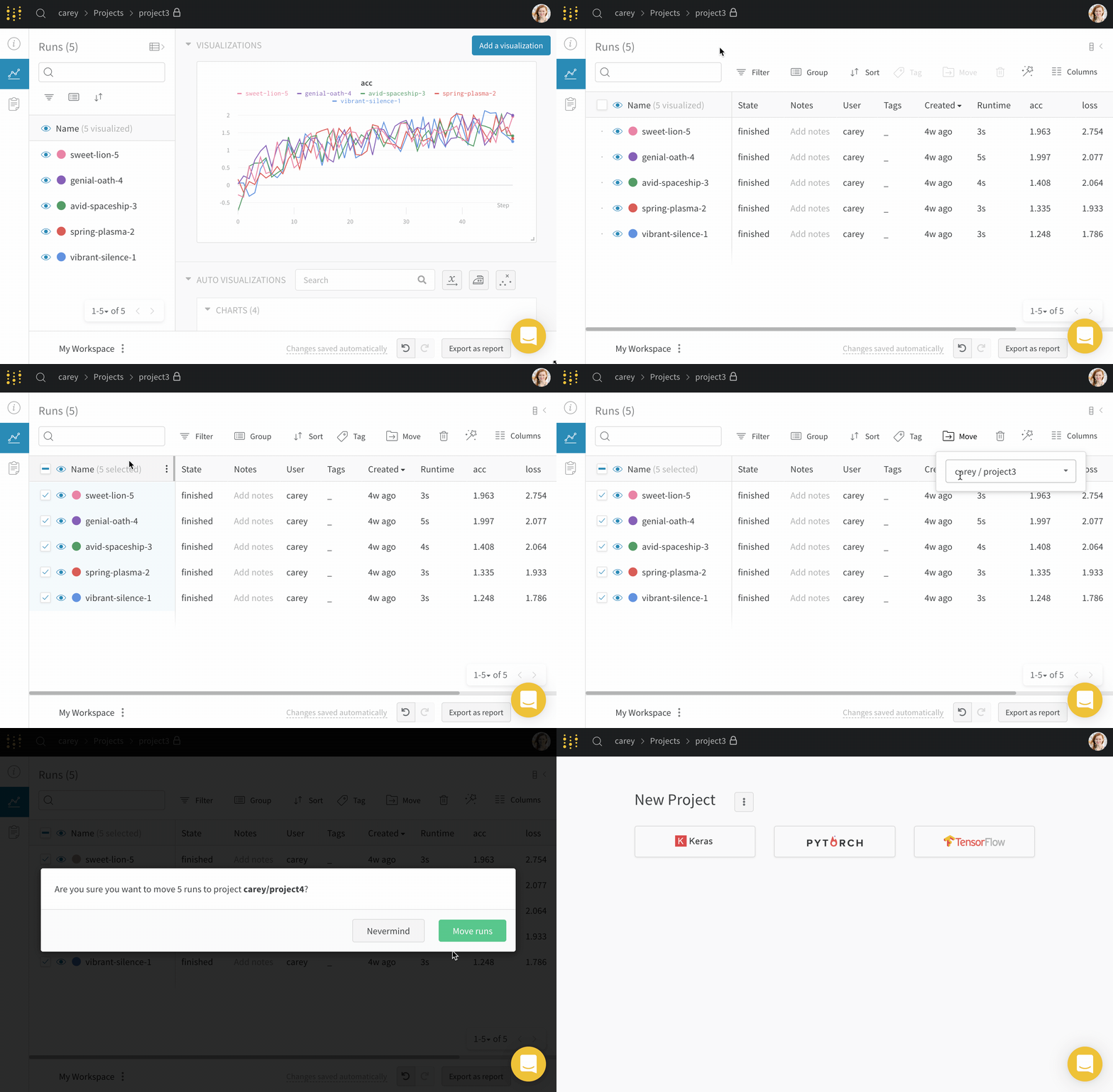
run 을 한 프로젝트에서 다른 프로젝트로 이동하려면 다음을 수행합니다.
1. 이동하려는 run 이 포함된 프로젝트로 이동합니다.
2. 프로젝트 사이드바에서 **Runs** 탭을 선택합니다.
3. 이동하려는 run 옆에 있는 확인란을 선택합니다.
4. 테이블 위의 **Move** 버튼을 선택합니다.
5. 드롭다운에서 대상 프로젝트를 선택합니다.
 ## 팀으로 run 이동
자신이 멤버인 팀으로 run 을 이동합니다.
1. 이동하려는 run 이 포함된 프로젝트로 이동합니다.
2. 프로젝트 사이드바에서 **Runs** 탭을 선택합니다.
3. 이동하려는 run 옆에 있는 확인란을 선택합니다.
4. 테이블 위의 **Move** 버튼을 선택합니다.
5. 드롭다운에서 대상 팀 및 프로젝트를 선택합니다.
## 팀으로 run 이동
자신이 멤버인 팀으로 run 을 이동합니다.
1. 이동하려는 run 이 포함된 프로젝트로 이동합니다.
2. 프로젝트 사이드바에서 **Runs** 탭을 선택합니다.
3. 이동하려는 run 옆에 있는 확인란을 선택합니다.
4. 테이블 위의 **Move** 버튼을 선택합니다.
5. 드롭다운에서 대상 팀 및 프로젝트를 선택합니다.