> ## Documentation Index
> Fetch the complete documentation index at: https://wb-21fd5541-feat-cli-docs-generator.mintlify.site/llms.txt
> Use this file to discover all available pages before exploring further.
# Tables
> 데이터셋을 반복하고 모델 예측값을 이해합니다
W\&B Tables를 사용하여 표 형식 데이터를 시각화하고 쿼리합니다. 예를 들면 다음과 같습니다.
* 동일한 테스트 세트에서 다양한 모델의 성능을 비교합니다.
* 데이터에서 패턴을 식별합니다.
* 샘플 모델 예측값을 시각적으로 살펴봅니다.
* 일반적으로 잘못 분류된 예제를 찾기 위해 쿼리합니다.
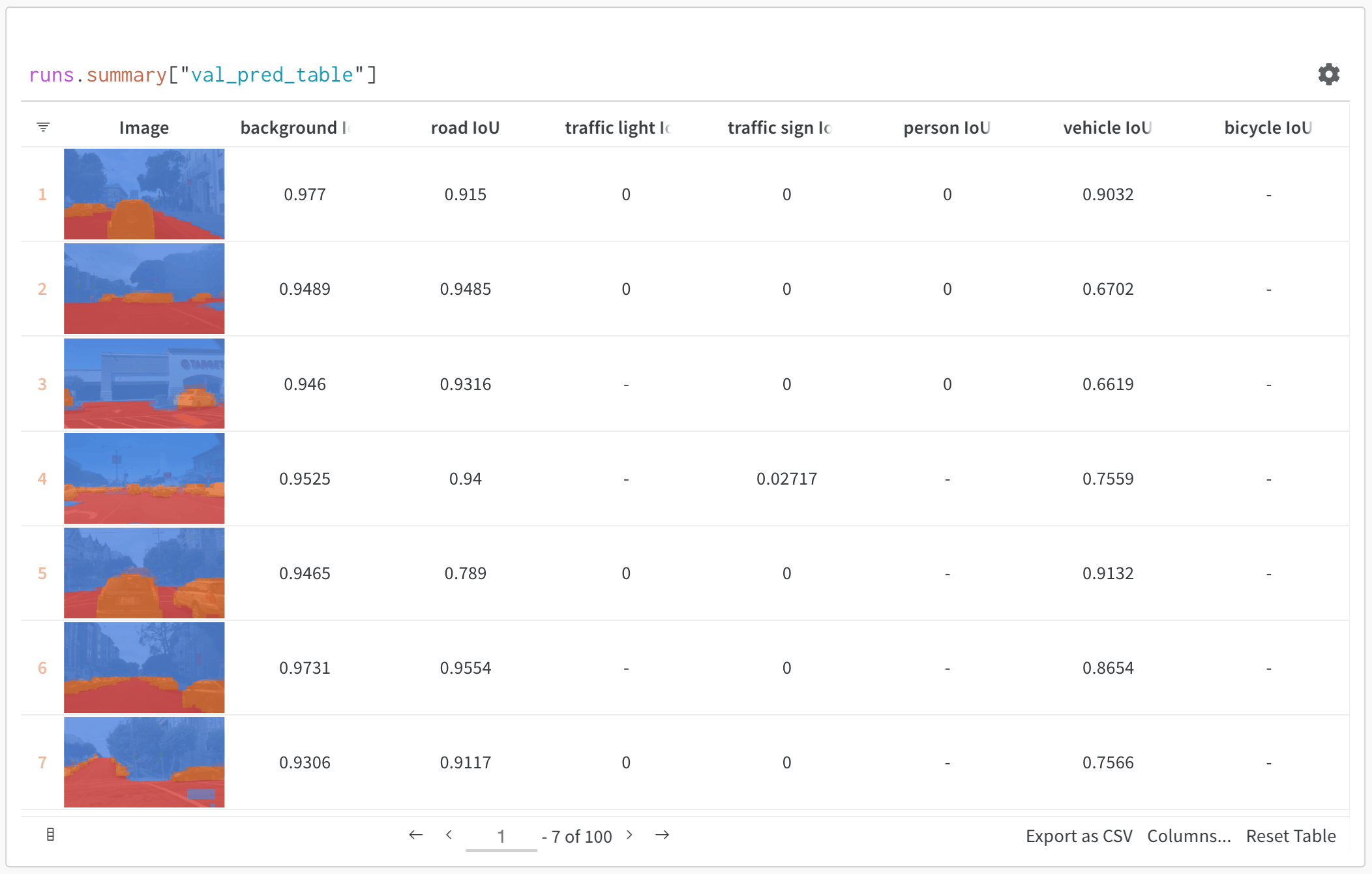 위 이미지는 시멘틱 세분화 및 사용자 정의 메트릭이 있는 테이블을 보여줍니다. [W\&B ML Course의 샘플 프로젝트](https://wandb.ai/av-team/mlops-course-001)에서 이 테이블을 볼 수 있습니다.
## 작동 방식
Table은 각 열에 단일 유형의 데이터가 있는 2차원 데이터 그리드입니다. Tables는 기본 및 숫자 유형은 물론 중첩 목록, 딕셔너리 및 다양한 미디어 유형을 지원합니다.
## Table 기록
몇 줄의 코드로 table을 기록합니다.
* [`wandb.init()`](/ko/models/ref/python/init): 결과를 추적하기 위해 [run](/ko/models/runs/)을 생성합니다.
* [`wandb.Table()`](/ko/models/ref/python/data-types/table): 새 table 오브젝트를 생성합니다.
* `columns`: 열 이름을 설정합니다.
* `data`: table의 내용을 설정합니다.
* [`run.log()`](/ko/models/ref/python/log): table을 기록하여 W\&B에 저장합니다.
```python theme={null}
import wandb
run = wandb.init(project="table-test")
my_table = wandb.Table(columns=["a", "b"], data=[["a1", "b1"], ["a2", "b2"]])
run.log({"Table Name": my_table})
```
## 시작 방법
* [퀵스타트](/ko/models/tables/tables-walkthrough/): 데이터 table 기록, 데이터 시각화 및 데이터 쿼리에 대해 알아봅니다.
* [Tables Gallery](/ko/models/tables/tables-gallery/): Tables의 유스 케이스 예시를 확인하세요.
위 이미지는 시멘틱 세분화 및 사용자 정의 메트릭이 있는 테이블을 보여줍니다. [W\&B ML Course의 샘플 프로젝트](https://wandb.ai/av-team/mlops-course-001)에서 이 테이블을 볼 수 있습니다.
## 작동 방식
Table은 각 열에 단일 유형의 데이터가 있는 2차원 데이터 그리드입니다. Tables는 기본 및 숫자 유형은 물론 중첩 목록, 딕셔너리 및 다양한 미디어 유형을 지원합니다.
## Table 기록
몇 줄의 코드로 table을 기록합니다.
* [`wandb.init()`](/ko/models/ref/python/init): 결과를 추적하기 위해 [run](/ko/models/runs/)을 생성합니다.
* [`wandb.Table()`](/ko/models/ref/python/data-types/table): 새 table 오브젝트를 생성합니다.
* `columns`: 열 이름을 설정합니다.
* `data`: table의 내용을 설정합니다.
* [`run.log()`](/ko/models/ref/python/log): table을 기록하여 W\&B에 저장합니다.
```python theme={null}
import wandb
run = wandb.init(project="table-test")
my_table = wandb.Table(columns=["a", "b"], data=[["a1", "b1"], ["a2", "b2"]])
run.log({"Table Name": my_table})
```
## 시작 방법
* [퀵스타트](/ko/models/tables/tables-walkthrough/): 데이터 table 기록, 데이터 시각화 및 데이터 쿼리에 대해 알아봅니다.
* [Tables Gallery](/ko/models/tables/tables-gallery/): Tables의 유스 케이스 예시를 확인하세요.