Platform
 W&B Models
 W&B Weave
 W&B Inference
 W&B Training
 Release Notes
weave.init() is called.
Do you want to experiment with Anthropic models on Weave without any set up? Try the LLM Playground.
Traces
It’s important to store traces of LLM applications in a central database, both during development and in production. You’ll use these traces for debugging, and as a dataset that will help you improve your application. Weave will automatically capture traces for anthropic-sdk-python. You can use the library as usual, start by callingweave.init() with a name for the project. If you don’t specify a W&B team when you call weave.init(), your default entity is used. To find or update your default entity, refer to User Settings in the W&B Models documentation.

We patch the anthropic
Messages.create method for you to keep track of your LLM calls.Wrapping with your own ops
Weave ops make results reproducible by automatically versioning code as you experiment, and they capture their inputs and outputs. Simply create a function decorated with@weave.op() that calls into Anthropic.messages.create and Weave will track the inputs and outputs for you. Let’s see how we can do this in nested example:

Create a Model for easier experimentation
Organizing experimentation is difficult when there are many moving pieces. By using the Model class, you can capture and organize the experimental details of your app like your system prompt or the model you’re using. This helps organize and compare different iterations of your app.
In addition to versioning code and capturing inputs/outputs, Models capture structured parameters that control your application’s behavior, making it easy to find what parameters worked best. You can also use Weave Models with serve, and Evaluations.
In the example below, you can experiment with model and temperature. Every time you change one of these, you’ll get a new version of JokerModel.

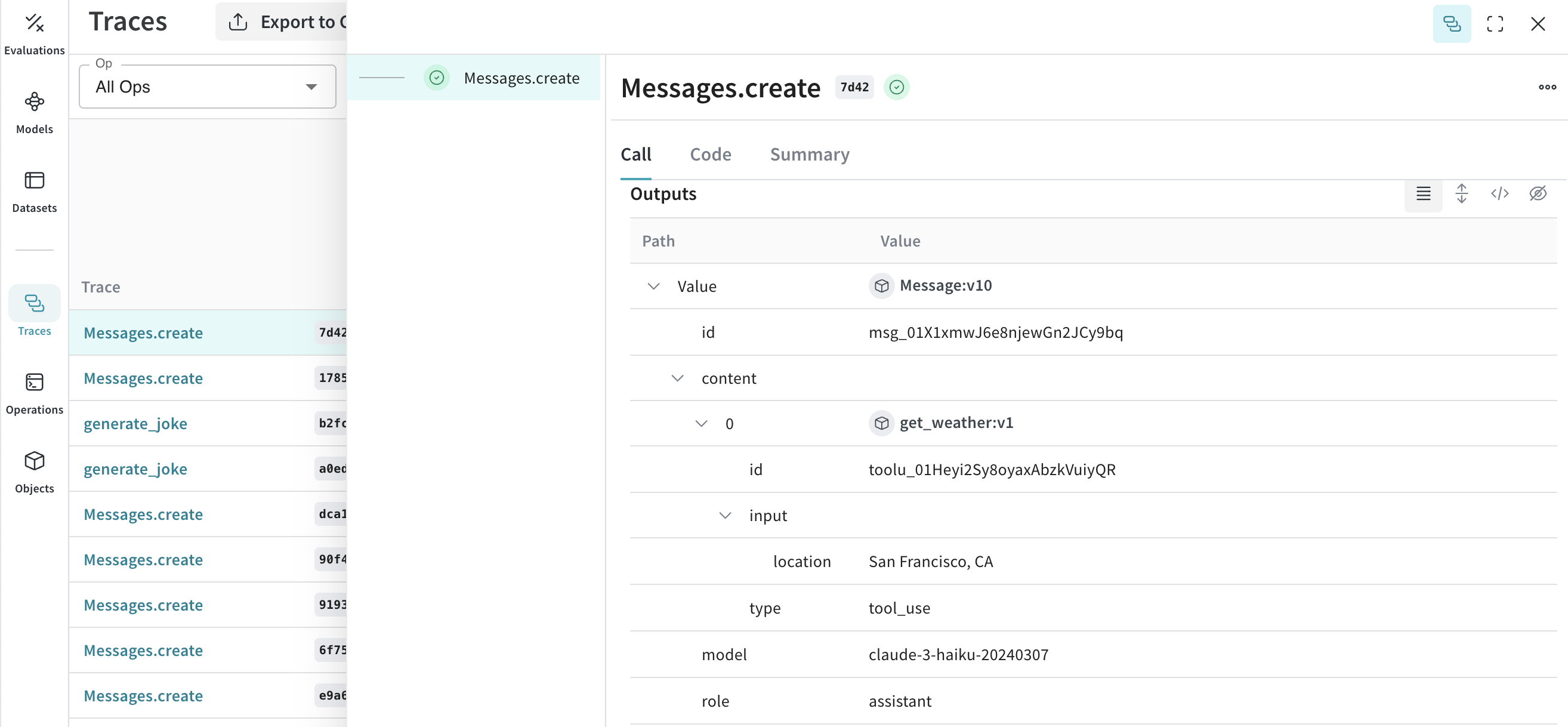
Tools (function calling)
Anthropic provides tools interface for calling functions. Weave will automatically track those functions calls.