

 Platform
 W&B Models
 W&B Weave
 W&B Inference
 W&B Training
 Release Notes
Model & Evaluation classes. We have built the APIs to make minimal assumptions to allow for the flexibility to support a wide array of use-cases.
1. Build a Model
Models store and version information about your system, such as prompts, temperatures, and more.
Weave automatically captures when they are used and updates the version when there are changes.
Models are declared by subclassing Model and implementing a predict function definition, which takes one example and returns the response.
Model objects as normal like this:
Checkout the Models guide to learn more.
2. Collect some examples
Next, you need a dataset to evaluate your model on. ADataset is just a collection of examples stored as a Weave object. You’ll be able to download, browse and run evaluations on datasets in the Weave UI.
Here we build a list of examples in code, but you can also log them one at a time from your running application.
Checkout the Datasets guide to learn more.
3. Define scoring functions
Evaluations assess a Models performance on a set of examples using a list of specified scoring functions or weave.scorer.Scorer classes.
To make your own scoring function, learn more in the Scorers guide.In some applications we want to create custom
Scorer classes - where for example a standardized LLMJudge class should be created with specific parameters (e.g. chat model, prompt), specific scoring of each row, and specific calculation of an aggregate score. See the tutorial on defining a Scorer class in the next chapter on Model-Based Evaluation of RAG applications for more information.4. Run the evaluation
Now, you’re ready to run an evaluation ofExtractFruitsModel on the fruits dataset using your scoring function.
If you’re running from a python script, you’ll need to use
asyncio.run. However, if you’re running from a Jupyter notebook, you can use await directly.5. View your evaluation results
Weave will automatically capture traces of each prediction and score. Click on the link printed by the evaluation to view the results in the Weave UI.What’s next?
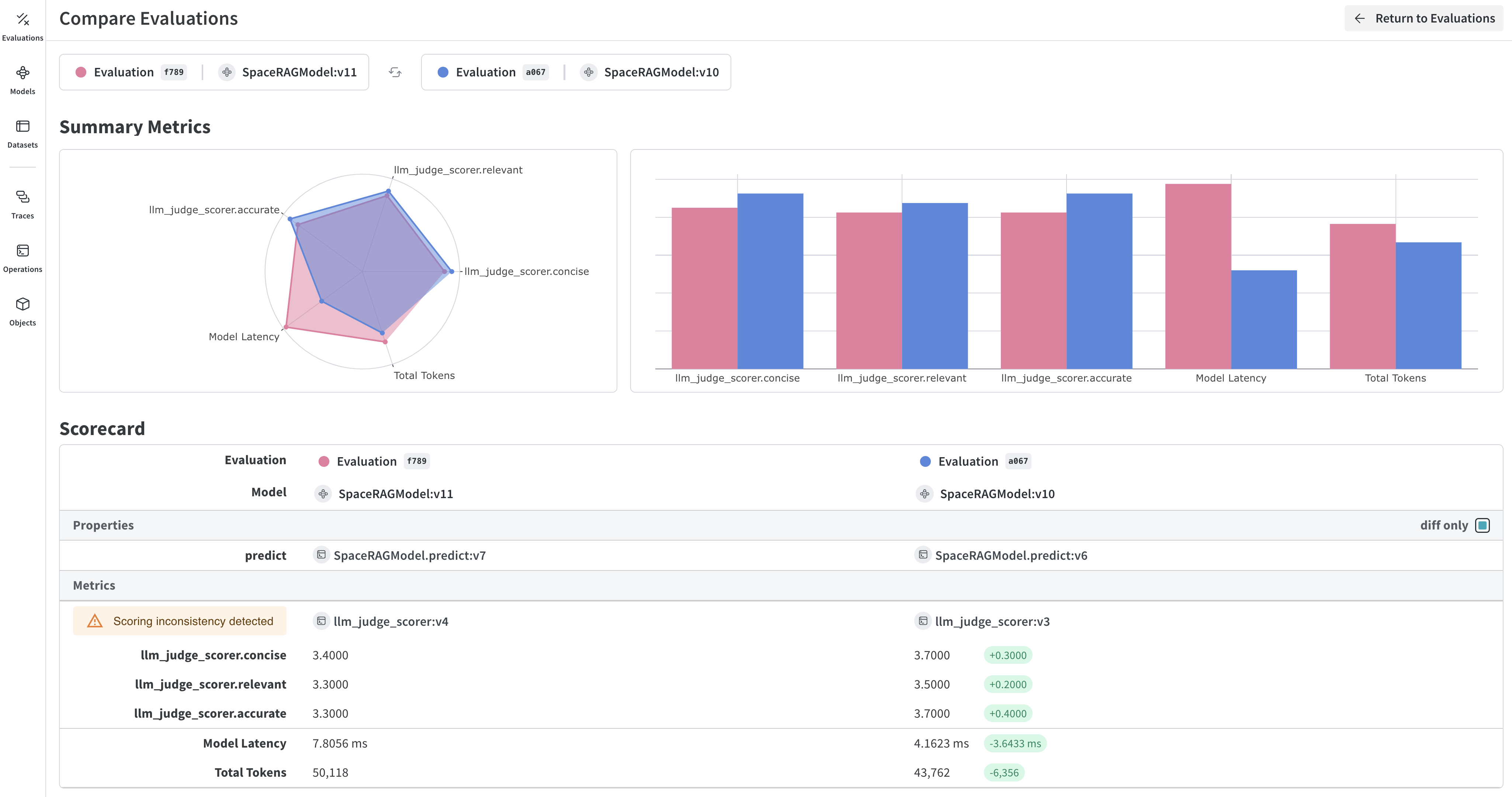
Learn how to:- Compare model performance: Try different models and compare their results
- Explore Built-in Scorers: Check out Weave’s built-in scoring functions in our Scorers guide
- Build a RAG app: Follow our RAG tutorial to learn about evaluating retrieval-augmented generation
- Advanced evaluation patterns: Learn about Model-Based Evaluation for using LLMs as judges