

 Platform
 W&B Models
 W&B Weave
 W&B Inference
 W&B Training
 Release Notes
Why use sweeps
- Quick setup: Run W&B sweeps with a few lines of code.
- Transparent: The project cites all algorithms used, and the code is open source.
- Powerful: Sweeps provide customization options and can run on multiple machines or a laptop with ease.
What this notebook covers
- Steps to start with W&B Sweep and a custom training loop in TensorFlow.
- Finding best hyperparameters for image classification tasks.
Install, import, and log in
Install W&B
Import W&B and log in
If you are new to W&B or not logged in, the link after running
wandb.login() directs to the sign-up/login page.Prepare dataset
Build a classifier MLP
Write a training loop
Configure the sweep
Steps to configure the sweep:- Define the hyperparameters to optimize
- Choose the optimization method:
random,grid, orbayes - Set a goal and metric for
bayes, like minimizingval_loss - Use
hyperbandfor early termination of performing runs
Wrap the training loop
Create a function, likesweep_train,
which uses run.config() to set hyperparameters before calling train.
Initialize sweep and run personal digital assistant
count parameter. Set to 10 for quick execution. Increase as needed.
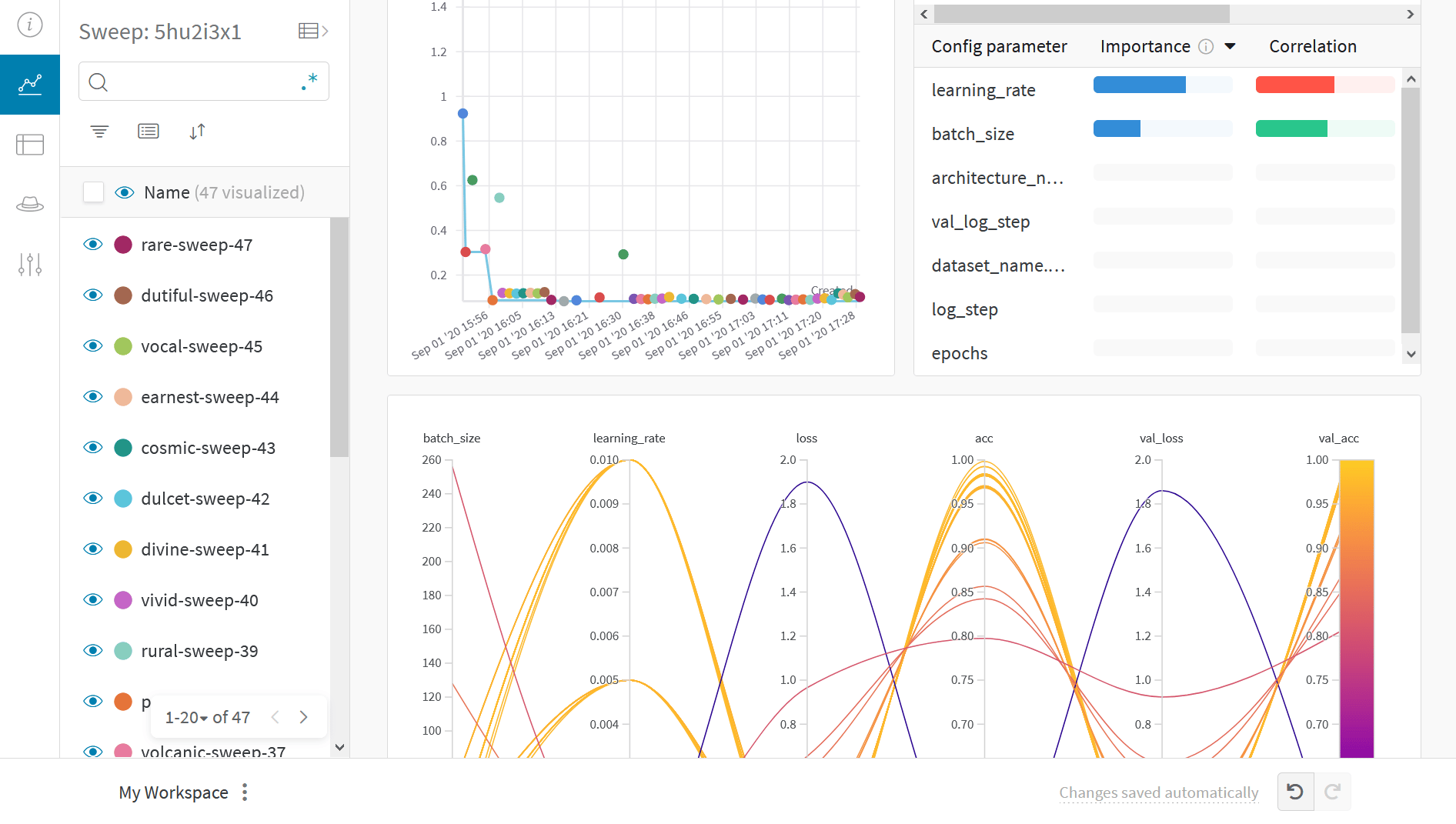
Visualize results
Click on the Sweep URL link preceding to view live results.Example gallery
Explore projects tracked and visualized with W&B in the Gallery.Best practices
- Projects: Log multiple runs to a project to compare them.
wandb.init(project="project-name") - Groups: Log each process as a run for multiple processes or cross-validation folds, and group them.
wandb.init(group='experiment-1') - Tags: Use tags to track your baseline or production model.
- Notes: Enter notes in the table to track changes between runs.
- Reports: Use reports for progress notes, sharing with colleagues, and creating ML project dashboards and snapshots.
Advanced setup
- Environment variables: Set API keys for training on a managed cluster.
- Offline mode
- On-prem: Install W&B in a private cloud or air-gapped servers in your infrastructure. Local installations suit academics and enterprise teams.